
A DC power supply (also known as a bench or lab power supply) is one of the most essential tools for anyone starting out in electronics. It provides adjustable, clean, and safe power for testing circuits, powering Arduino/Raspberry Pi projects, charging batteries, or debugging — but only if used correctly. Improper use can damage your projects, components, or even the power supply itself.
This beginner-friendly guide walks you through how to use a DC power supply safely, step by step, with practical tips and visual examples to help you get started confidently.
1. Understand Your Power Supply's Basic Controls
Most modern programmable DC power supplies have these key elements:
- Voltage adjustment knob/buttons
- Current limit adjustment
- Output ON/OFF button
- Display showing voltage (V) and current (A)
- CV (Constant Voltage) and CC (Constant Current) mode indicators
Familiarize yourself with the front panel. Here's a clear labeled view of a typical bench power supply interface, highlighting voltage, current, and mode indicators:
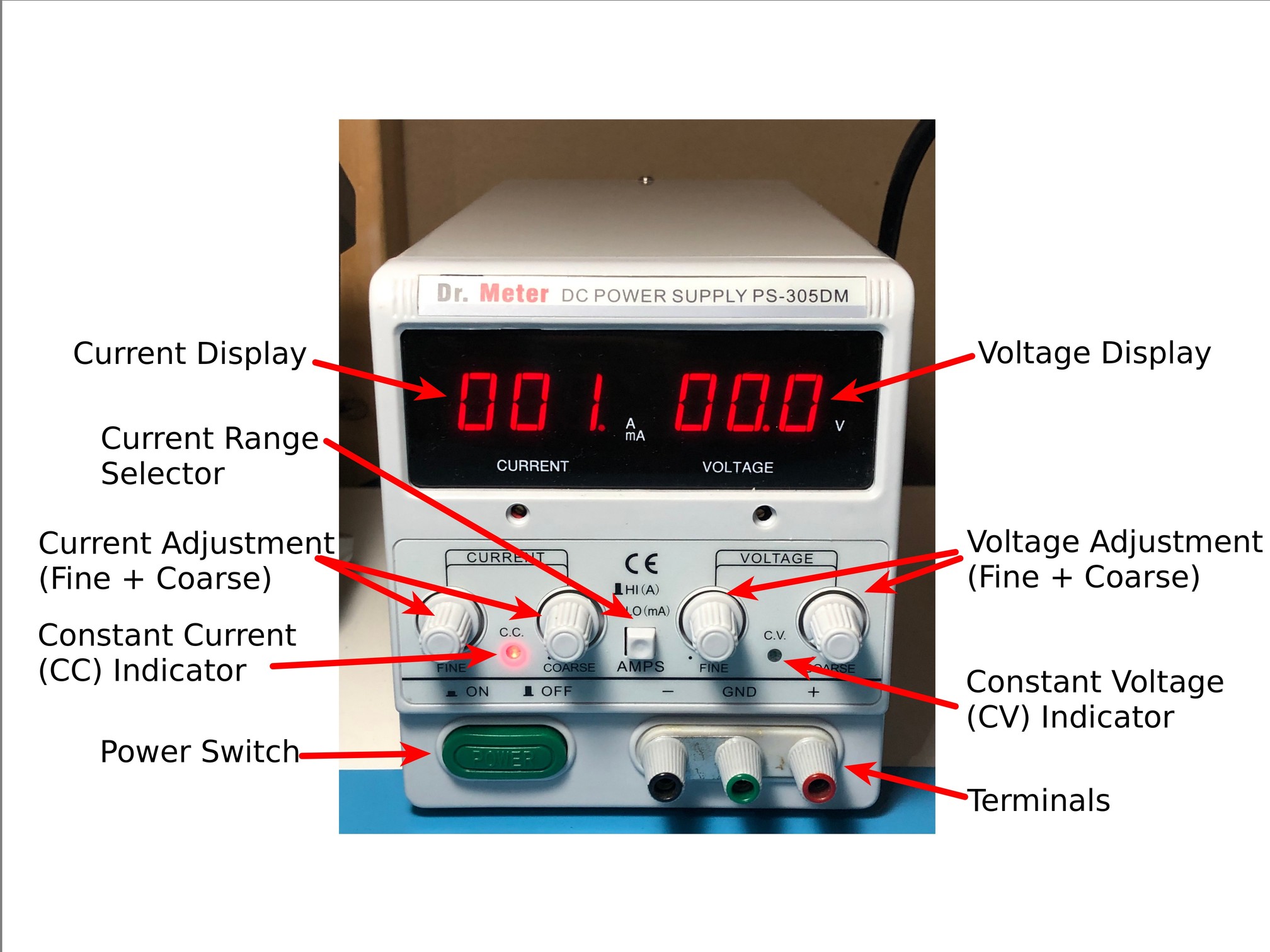
And another example showing CV/CC mode lights in action — CC mode activates when current limiting kicks in:
2. Always Set Current Limit First (The Golden Safety Rule)
The #1 safety tip for beginners: Set a reasonable current limit before connecting anything. This protects your circuit from accidental shorts or overcurrent.
How to do it safely:
- Turn output OFF
- Short the output terminals (positive to negative) with a wire or probe
- Adjust current limit to your desired max (e.g., 100–500mA for small projects)
- Remove the short
- Set your target voltage
This step-by-step demo shows current limiting being set with the output shorted — a critical beginner habit:
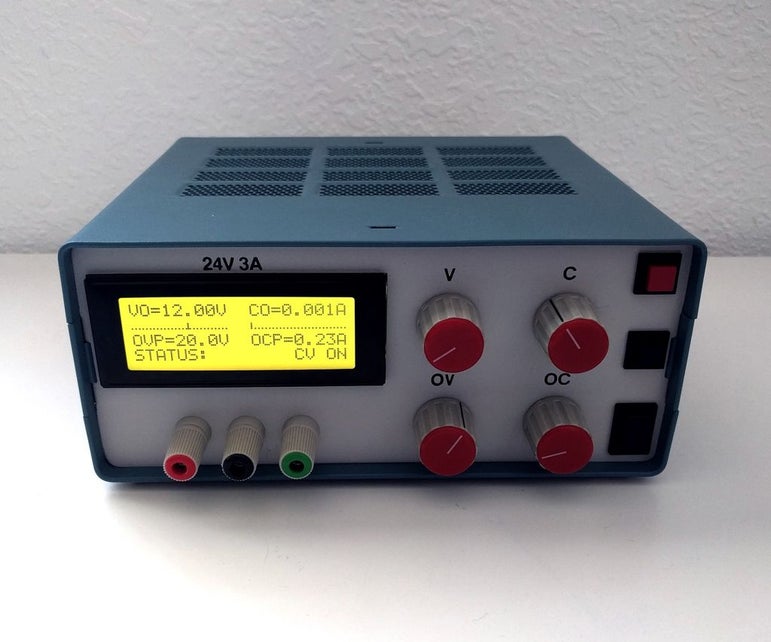
And a practical close-up of adjusting the current knob while monitoring the display:
3. Make Proper Connections
Use good-quality banana plugs or cables. Color code them: red for positive (+), black for negative (-).
Safe connection tips:
- Output OFF before connecting
- Double-check polarity
- Use short, thick wires to minimize voltage drop
See these examples of safe, clean connections using banana-to-jumper wires on a breadboard — perfect for beginners:
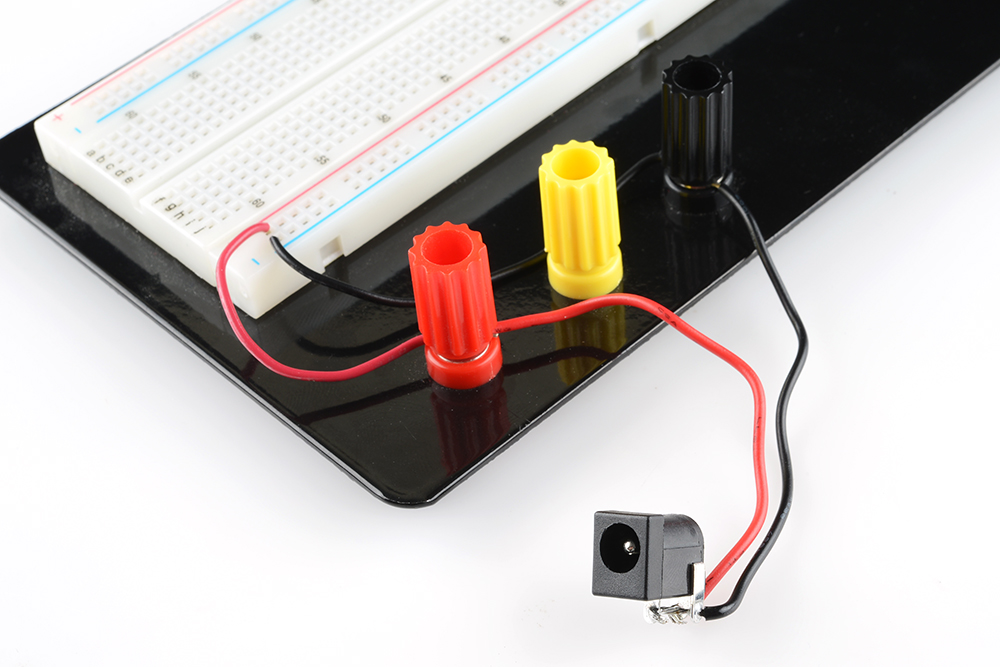
And another well-organized setup showing correct banana plug polarity:
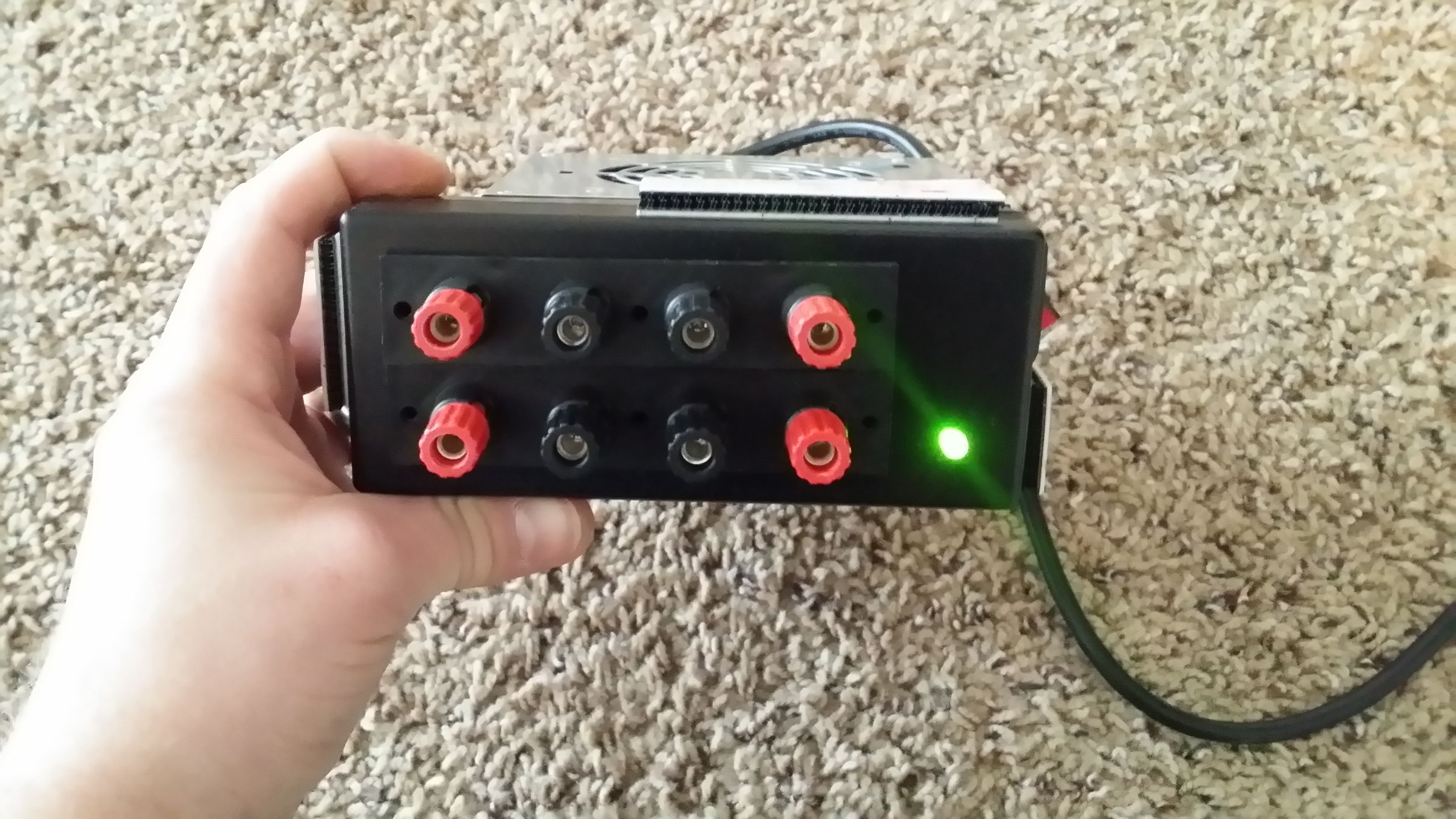
4. Power On and Monitor
- Turn output ON
- Watch the display: If it stays in CV mode, voltage is stable
- If it switches to CC mode (current limit reached), something is drawing too much — check for shorts or adjust limit
This image shows a beginner's workbench with proper ventilation, no clutter, and safe power supply use:

5. Additional Safety Best Practices
- Never exceed your circuit's voltage/current ratings
- Keep hands clear of live terminals
- Ensure good airflow — don't block vents
- Unplug when not in use for long periods
- Start with low voltage/current and increase gradually
- Use fuses or protection boards for sensitive projects (e.g., Li-ion batteries)
Recommended Kiprim Programmable DC Power Supplies for Beginners
Kiprim models are beginner-friendly with clear displays, precise controls, fast current limiting, and built-in protections — making them ideal for safe learning.
Perfect starter choices:
- Kiprim DC310Pro 2-in-1 Programmable Power Supply and Multimeter (0-30V/0-10A) — Extra multimeter function + programmable presets for quick, safe setups
- Programmable DC Power Supply (0-30V/0-10A, 110V Input) — Simple, reliable, and great for beginners
For more advanced projects later:
- Kiprim DC605Pro 2-in-1 Programmable Power Supply (0-60V/0-5A)
- Kiprim DC605S Programmable DC Power Supply (0-60V/0-5A, 110V Input)
- Kiprim DC620S Programmable 400W DC Power Supply (0-60V/0-20A)
Browse the full beginner-friendly collection: Kiprim DC Power Supplies Collection
Final Thoughts: Safety First, Experiment with Confidence
Learning how to use a DC power supply safely is one of the most important skills in electronics. By always setting current limits, checking connections, and starting low, you'll protect your gear and build good habits that last.
With a quality programmable supply like those from Kiprim, you'll have the tools and peace of mind to explore safely. Start small, stay safe, and enjoy your electronics journey! 🔌
0 Kommentare